How to evaluate a formula for different values with CALC
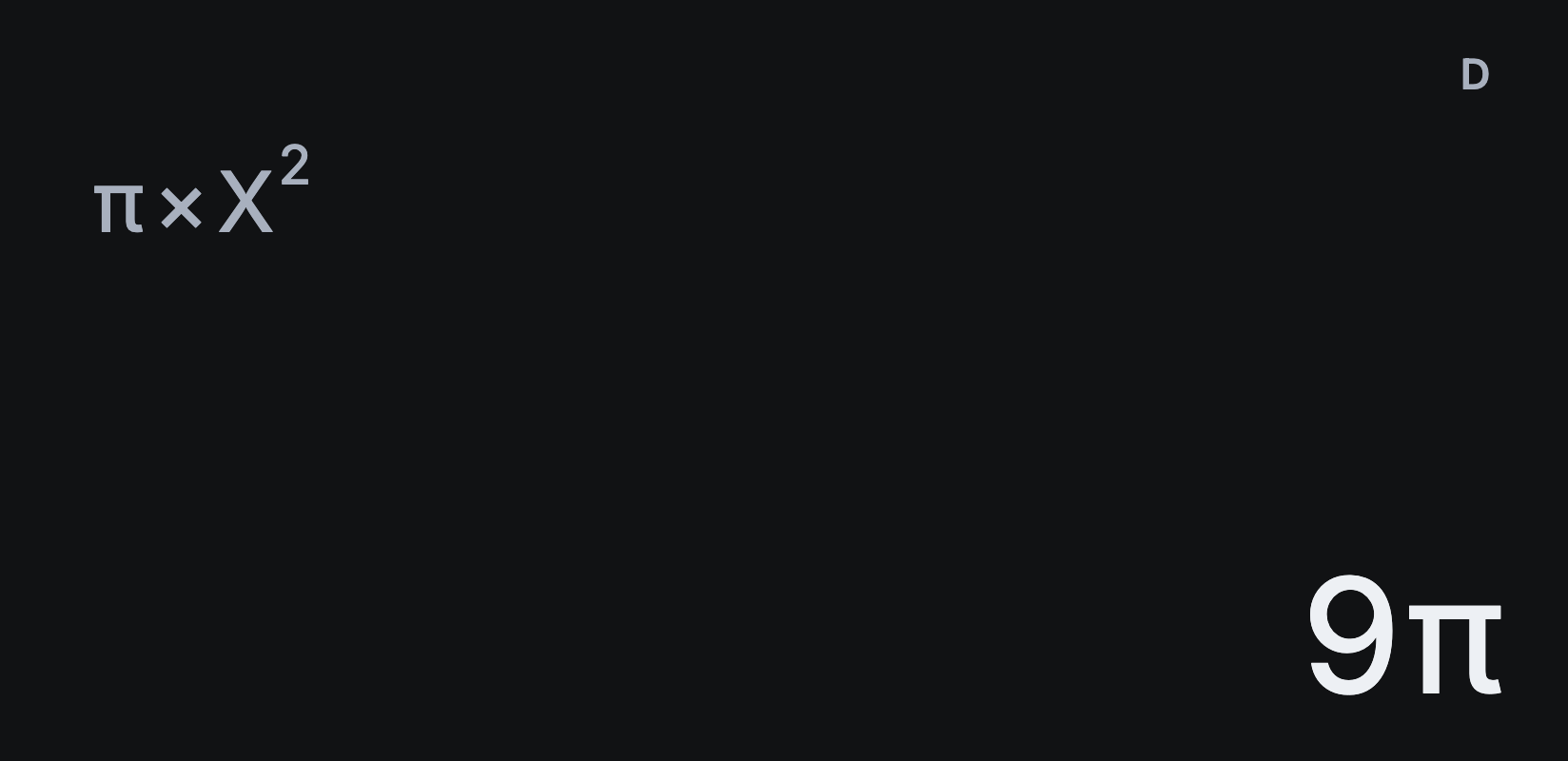
CALC lets you type a formula once, then work it out for any values. Here it finds the area of a circle, πr², with a radius of 3.
Work out a formula
- Tap AC, then π.
- Tap ×, then X and x². The formula reads π × X².
- Tap SHIFT, then CALC, the second function of SOLVE. Sumi asks X?, showing the value X holds now.
- Type 3 and tap =. The answer is 9π, and S⇔D shows 28.27433388.
- Tap SHIFT CALC again to try another radius. Tap AC when you’re done.
Formulas with several variables
Sumi asks for each variable in turn. Type A² + B, choosing A and B from VARS, then tap SHIFT CALC. Enter 3 = for A and 4 = for B. The answer is 13.
Keep a value from last time
When Sumi asks for a variable, it shows the value that variable already holds. Tap = without typing to keep it, which is handy when only one value changes between runs.
CALC or SOLVE?
Use CALC when you know the inputs and want the result. Use SOLVE when you know the result and want to find X. See how to solve equations.