How to solve equations with Sumi
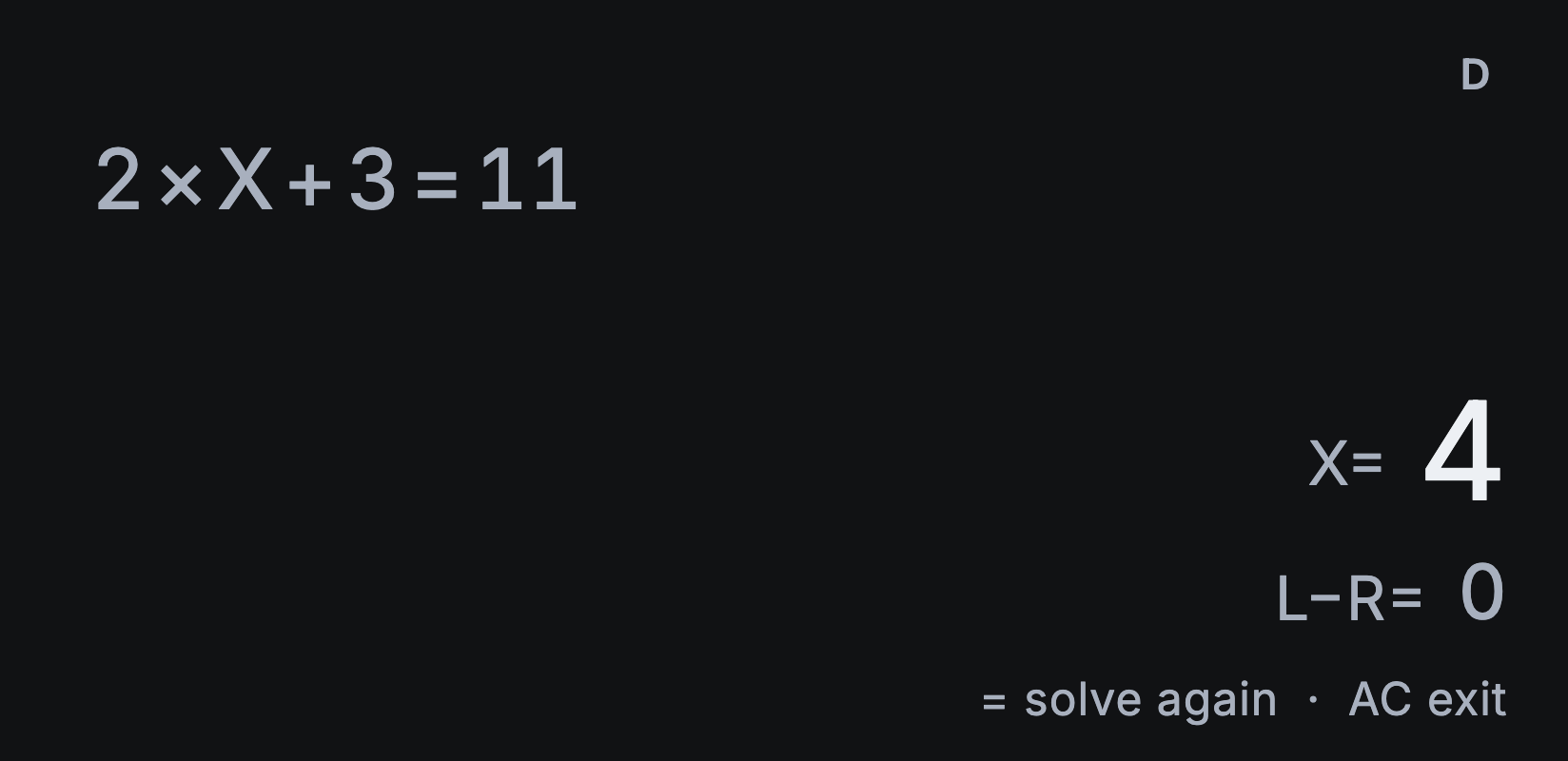
SOLVE finds a numerical value of X that makes both sides of an equation agree. Here’s how to solve 2 × X + 3 = 11.
Solve for X
- Tap AC, then 2 and ×.
- Tap X.
- Tap +, then 3.
- Tap SHIFT, then =, the second function of (, followed by 1 and 1. This types the equation’s equals sign; the = at the bottom right calculates instead.
- Tap SOLVE.
- At X?, type 1 as a starting guess and tap =.
The answer is X = 4. L−R is the difference between the left and right sides: a value close to zero means they agree. Here it’s 0.
SOLVE finds one numerical solution at a time. It doesn’t show symbolic steps or list every root. Tap AC to go back to your equation and edit it.
Try another solution
Some equations have several solutions. From a finished solution, tap = to solve again, type a different starting guess at X?, then tap =.
A different guess may find another solution, but trying several guesses doesn’t guarantee you’ve found them all. The example above has just one.
If SOLVE can’t find a solution
Check that your equation includes X and was typed as you intended, then try another starting guess. Can’t Solve doesn’t always mean there’s no solution.
For trigonometric equations, check that Settings → Angle unit matches your equation. If Continue: = appears, tap = to keep searching, or AC to stop.
To work out a formula for several values without solving it, use CALC.