How to find a derivative at a point on a scientific calculator
d/dx gives the gradient of a function at one point. Here’s the derivative of x² at x = 3, which is 6.
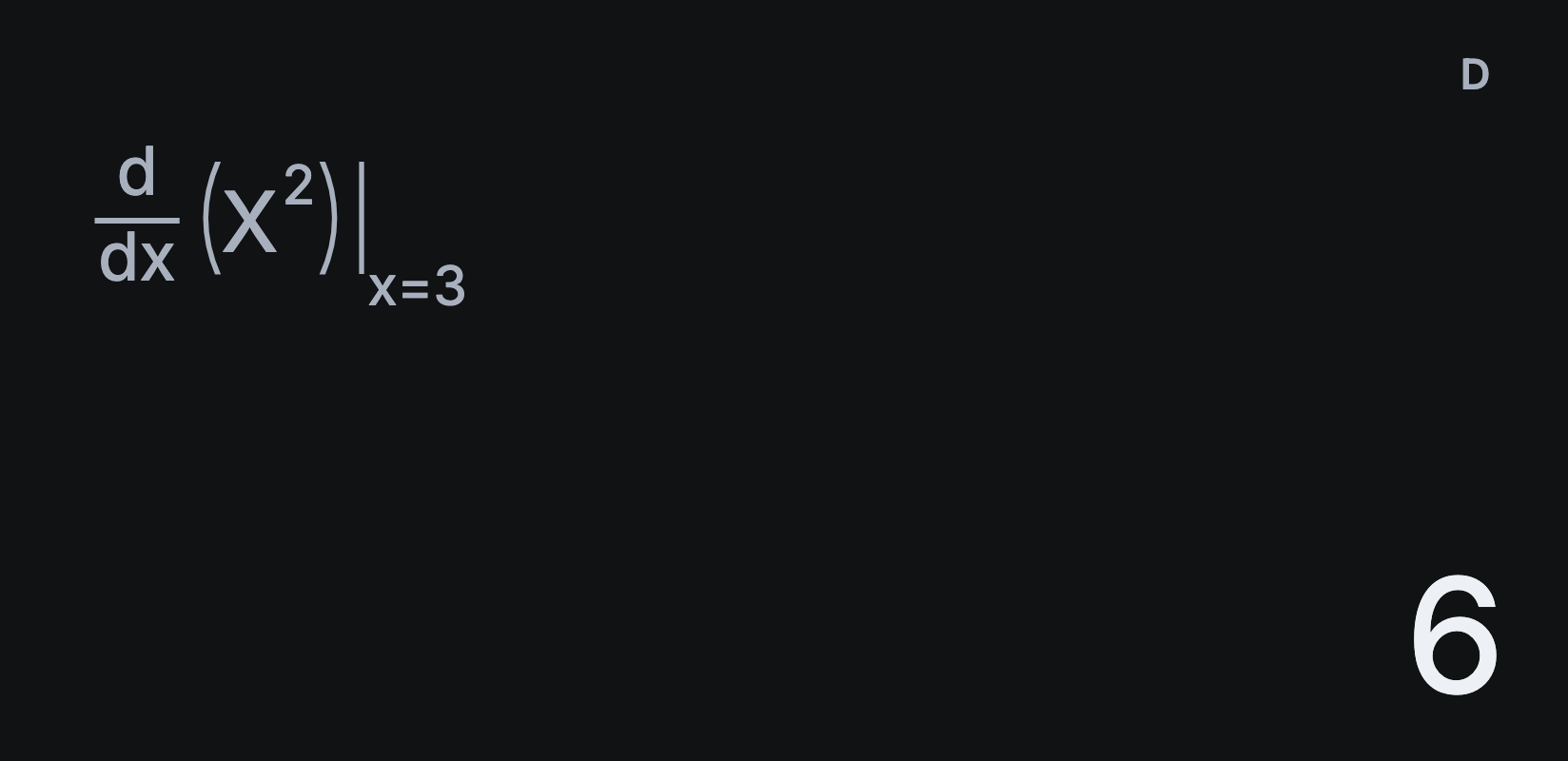
Find the gradient at a point
- Tap AC, then SHIFT and d/dx, the ∫□dx key’s second function.
- Tap X, then x². Write the function in terms of X.
- Tap ► to move to the point, then type 3.
- Tap =. The answer is 6.
Try another: the derivative of x³ at x = 2 is 12. For the cube, tap SHIFT and then x³, the second function of x².
What d/dx gives you
Sumi works out the gradient numerically, at the point you choose. It doesn’t write out the derivative as a formula, so to compare several points, change the point and tap = again.
Derivatives of sin, cos and tan
Set Settings → Angle unit to Radians first. In degrees, the gradient of sin(x) at x = 0 isn’t 1, because the angle is measured differently. See how to switch between degrees and radians.
When the answer looks wrong
At a corner or a gap, such as the point of |x| at 0, a function doesn’t have a single gradient, and a numerical answer there isn’t meaningful. Check the function is smooth around the point you chose.
For the area under a curve, see how to calculate a definite integral.